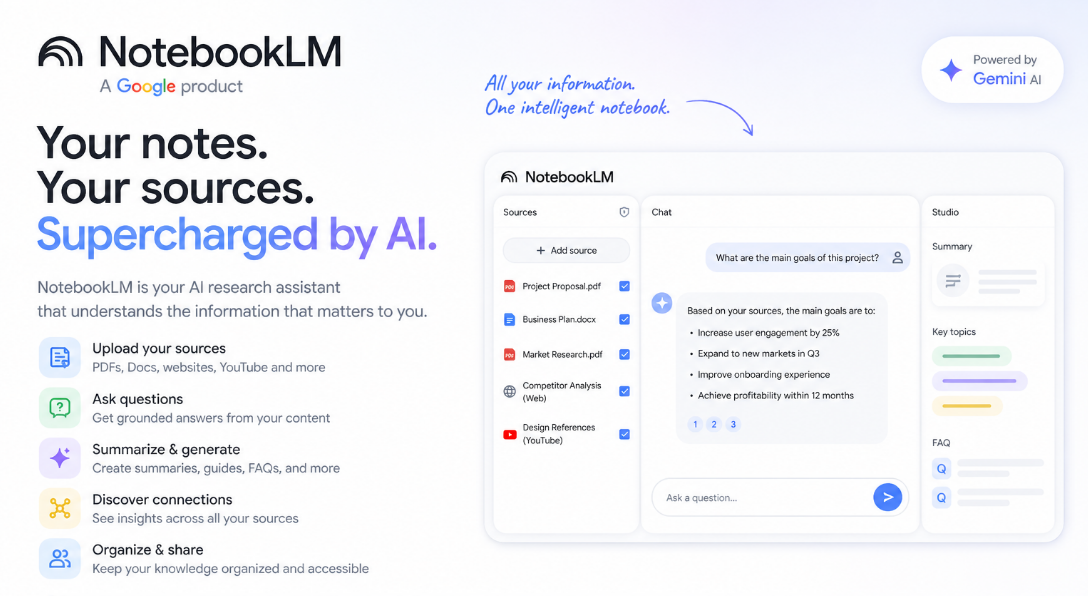
说实话,NotebookLM 这个工具,很多人用了一段时间之后就搁置了。不是因为它不好,而是大多数人只把它当成一个"高级总结器"——上传文件,生成摘要,完事儿。但这个工具能做的事情,远比你想象的要多得多。 这篇文章整理了 20 个 NotebookLM 提示词,分五个场景,每一个都保留了英文原文,因为直接粘贴进去效果比翻译后的中文更稳定,也附上了中文说明和适用场景。
一、读懂材料:拿到新资料怎么快速上手
这三个提示词解决同一个问题——怎么在最短时间内把一份陌生材料吃透。
#01 快速总结
Summarize this source into the 10 most important ideas, key arguments, and practical takeaways in plain English.
把材料提炼成 10 个最核心的观点、关键论点和可落地的收获。第一次接触陌生领域时,用这个建立基本认知框架。
#02 零基础讲解
Explain this material as if I am a complete beginner. Use simple analogies, step-by-step logic, and avoid jargon.
用类比和递进逻辑把复杂内容讲给完全不懂的人听。啃学术论文或技术文档时,这个提示词就是你的"翻译官"。
#03 深度剖析
Break this source into core concepts, hidden assumptions, expert-level nuances, and what most readers usually miss.
专门挖材料里的核心概念、隐藏假设、专家级细节,以及大多数人容易忽略的内容。当你觉得"好像看懂了,但又没完全懂"的时候,用这个再过一遍。
二、辅助学习:把材料变成你自己的备考资料
这四个提示词能把 NotebookLM 变成一个私人助教。
#04 多材料对比
Compare all uploaded sources. Show where they agree, where they conflict, and what unique insights each source contributes.
同时上传多份材料,让 AI 交叉比对。写文献综述或者调研某个话题的不同观点时,特别好用。
#05 结构化笔记
Turn this content into structured study notes with headings, bullet points, definitions, and memorable examples.
把原始材料直接整理成带标题、要点、定义和例子的结构化笔记,省去手动整理的时间。
#06 闪卡生成
Generate 25 high-quality flashcards from this material with question on front and concise answer on back.
从材料里生成 25 张闪卡,正面是问题,背面是答案。备考或记忆关键概念时直接用。
#07 测验模式
Create a progressive quiz from easy to difficult based only on this source. Wait for my answers and grade me.
让 AI 出题考你,从简单到复杂,答完一题出下一题,还会给打分。主动回忆这件事,效果比反复翻阅材料强太多。
#08 记忆锚点
Create mnemonics, analogies, and memory anchors that help me retain the most important parts of this content.
帮你造记忆口诀、想类比和生活化联想。对抽象概念格外有效,比如用"图书馆借书还书"来理解计算机缓存机制。
三、批判阅读:不只读懂,还要读穿
光理解材料说了什么是不够的,这四个提示词帮你建立真正的批判性思维。
#09 时间线提取
Extract every important event, milestone, or development from these sources and arrange them into a clean timeline.
把材料里的重要事件、节点和发展历程梳理成清晰的时间线。读历史、行业演变、技术发展史时非常实用。
#10 关键引用
Pull out the most impactful quotes, data points, and evidence from these sources that I can cite in writing or presentations.
把最有分量的引用、数据和证据摘出来,写文章或做演讲时直接取用。
#11 研究空白
Identify unanswered questions, weak arguments, missing evidence, and research gaps across these materials.
找出材料里没有回答的问题、逻辑薄弱的地方、缺失的证据和研究盲区。想知道"这个话题还有哪些值得深挖",就用这个。
#12 正反辩论
Present the strongest arguments for and against the main thesis of these sources as if two experts were debating.
让 AI 扮演正反两方专家,围绕材料核心论点展开辩论。强迫你看到另一面,避免只在信息茧房里打转。
四、内容产出:把学到的东西变成真实的输出
输出的过程才是真正消化知识的过程。
#13 提炼框架
Convert the ideas in these sources into a practical framework, checklist, or repeatable system I can apply.
把零散想法提炼成可复用的框架、清单或操作系统。比如看了一堆"如何开好一场会"的文章,让 AI 帮你提炼成一份会议流程清单。
#14 内容改编
Use these sources to generate a LinkedIn post, article outline, tweet thread, and newsletter idea.
把同一批材料改编成不同平台的内容:LinkedIn 帖子、文章大纲、推特长帖、Newsletter 选题。一次研究,多次产出。
#15 专家问答
Act as the world's top expert on these uploaded materials. I will ask questions answer only from the sources.
让 AI 扮演这些材料的"顶级专家",你来提问,它根据材料内容作答。互动感比被动阅读强很多。
#16 高管简报
Create a 5-minute executive briefing with only the most strategic insights, implications, and action points.
把材料浓缩成一份 5 分钟读完的简报,只保留战略级洞察和行动要点。向上汇报或快速对齐信息时,直接用。
#17 想法生成器
Generate 20 original ideas, opportunities, or applications inspired by the uploaded materials.
基于材料激发 20 个原创想法、机会或应用场景。头脑风暴、找选题灵感的时候特别顺手。
#18 行动计划
Based on everything in these sources, create a practical action plan with first steps, priorities, and deadlines.
根据所有材料生成一份可执行的行动计划,包含第一步该做什么、优先级排序和截止时间。知识不落地,看再多也白费。
五、教学输出:能讲给别人听,才算真的懂了
这两个提示词用的是费曼学习法的底层逻辑——教别人是检验理解深度的终极方式。
#19 课程设计
Turn this notebook into a 7-day learning plan with daily lessons, exercises, and checkpoints.
把材料转化成 7 天学习计划,每天有内容、练习和检验点。想系统学一个主题时,用这个搭骨架。
#20 教学脚本
Rewrite the key ideas from these sources into a teaching script that I can explain to someone in 5 minutes.
把核心观点改写成一份 5 分钟的教学脚本,拿着就能讲给别人听。"如果你无法把一件事讲得简单清楚,说明你还没真正理解它"——这大概就是这个提示词存在的意义。
不建议把这 20 个提示词一次全用完,那样反而低效。根据自己当下的场景挑 2~3 个用熟,效果远好于走马观花。
比较顺手的几个组合是:读新材料时搭配 #01 + #02,深入研究时用 #03 + #04,要对外输出内容时用 #13 + #14。NotebookLM 的基础功能目前免费可用,感兴趣的话值得认真上手试一试,它的潜力确实被大多数人低估了。
 AI 速览